

Note
Go to the end to download the full example code.
Plot mesh scopings#
This tutorial shows different commands for plotting mesh entities targeted by mesh scopings.
A mesh scoping is a Scoping with a
location related to mesh entities.
The entities shown correspond to the intersection of the IDs in the scoping of the mesh and the IDs in the provided scoping.
If the scoping and the mesh do not have entity IDs in common, nothing is shown. For example, a scoping on elements associated to a mesh without elements results in an empty plot. A scoping on node IDs 1 to 2 associated to a mesh whose node IDs start at 3 results in an empty plot.
Note
Scopings of faces are not supported.
PyDPF-Core has a variety of plotting methods for generating 3D plots with Python. These methods use VTK and leverage the PyVista library.
Load data to plot#
import ansys.dpf.core as dpf
from ansys.dpf.core import examples
import ansys.dpf.core.operators as ops

result_file_path_1 = examples.download_piston_rod()
model_1 = dpf.Model(data_sources=result_file_path_1)
mesh_1 = model_1.metadata.meshed_region
Plot a single mesh scoping#
Create a single Scoping and plot the
targeted entities when applied to a single
MeshedRegion.
Node scoping:
node_scoping = dpf.Scoping(location=dpf.locations.nodal, ids=mesh_1.nodes.scoping.ids[0:100])
node_scoping.plot(mesh=mesh_1, color="red", show_mesh=True)
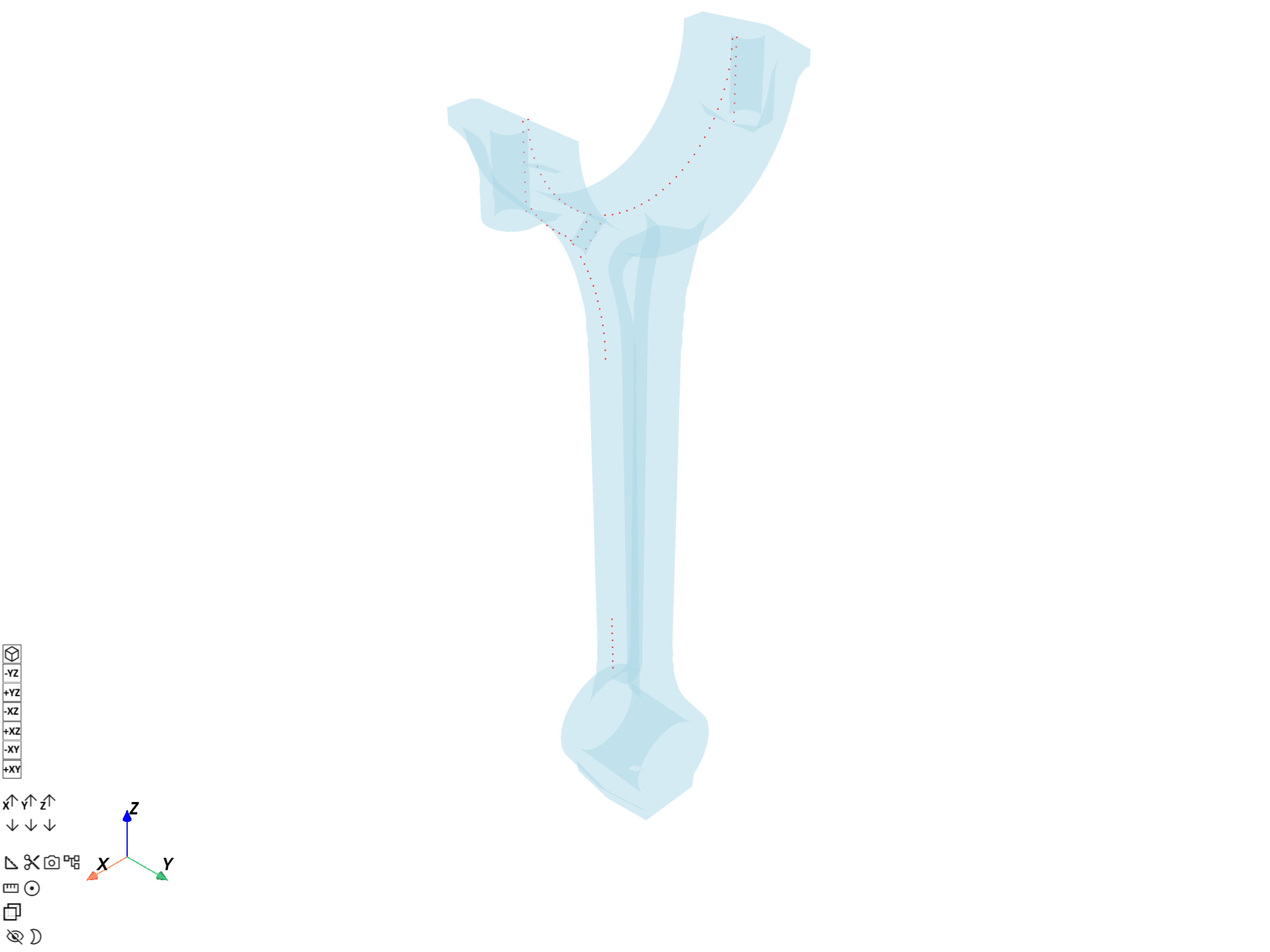
([], <pyvista.plotting.plotter.Plotter object at 0x000002334B6B8410>)
Element scoping:
element_scoping = dpf.Scoping(
    location=dpf.locations.elemental, ids=mesh_1.elements.scoping.ids[0:100]
)
element_scoping.plot(mesh=mesh_1, color="green", show_mesh=True)
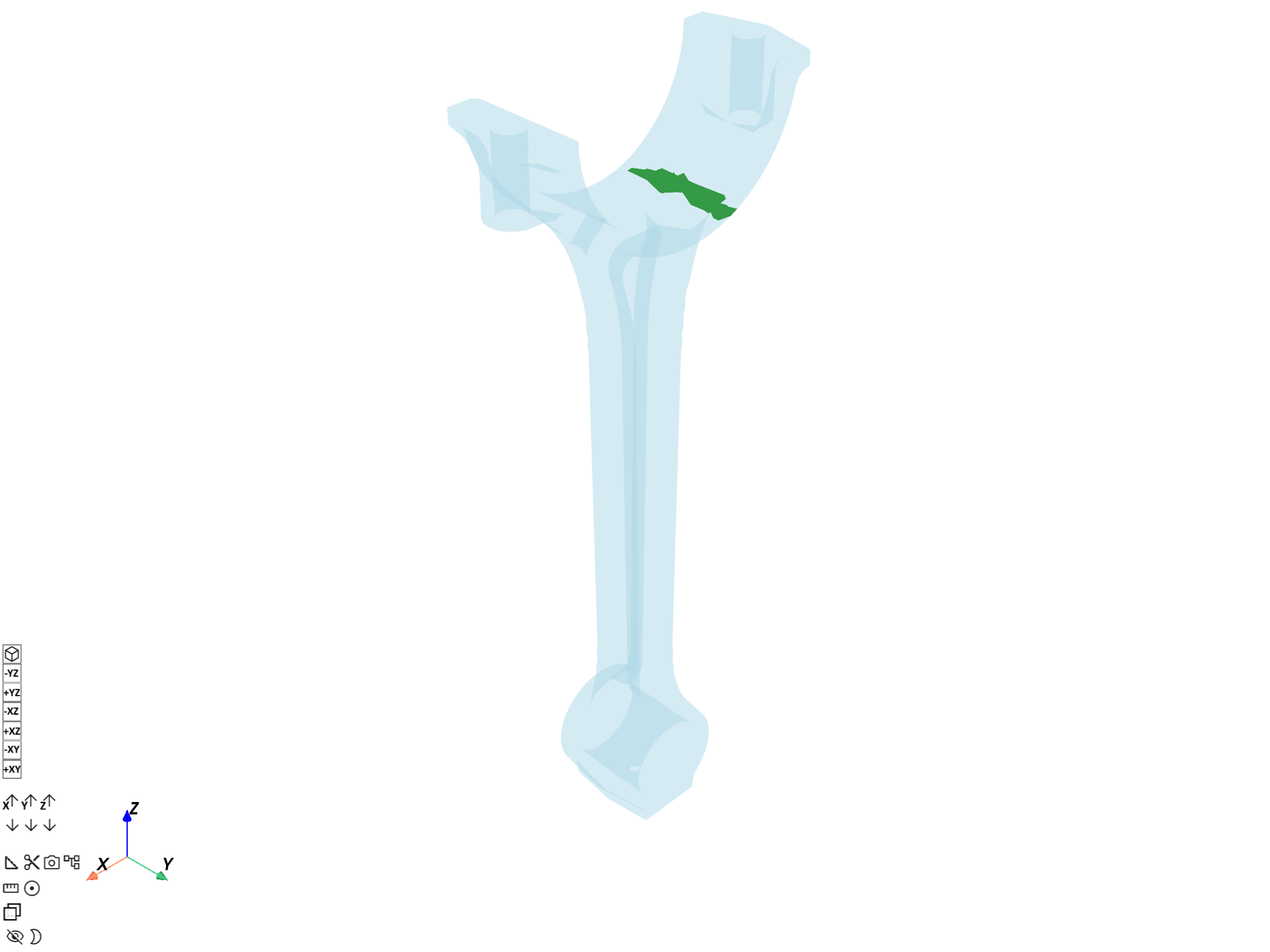
([], <pyvista.plotting.plotter.Plotter object at 0x000002334B7F5400>)
Plot a collection of mesh scopings#
Create a
ScopingsContainer
with several mesh scopings and plot targeted entities of a
MeshedRegion.
node_scoping_1 = dpf.Scoping(location=dpf.locations.nodal, ids=mesh_1.nodes.scoping.ids[0:100])
node_scoping_2 = dpf.Scoping(location=dpf.locations.nodal, ids=mesh_1.nodes.scoping.ids[300:400])
node_sc = dpf.ScopingsContainer()
node_sc.add_label(label="scoping", default_value=1)
node_sc.add_scoping(label_space={"scoping": 1}, scoping=node_scoping_1)
node_sc.add_scoping(label_space={"scoping": 2}, scoping=node_scoping_2)
node_sc.plot(mesh=mesh_1, show_mesh=True)
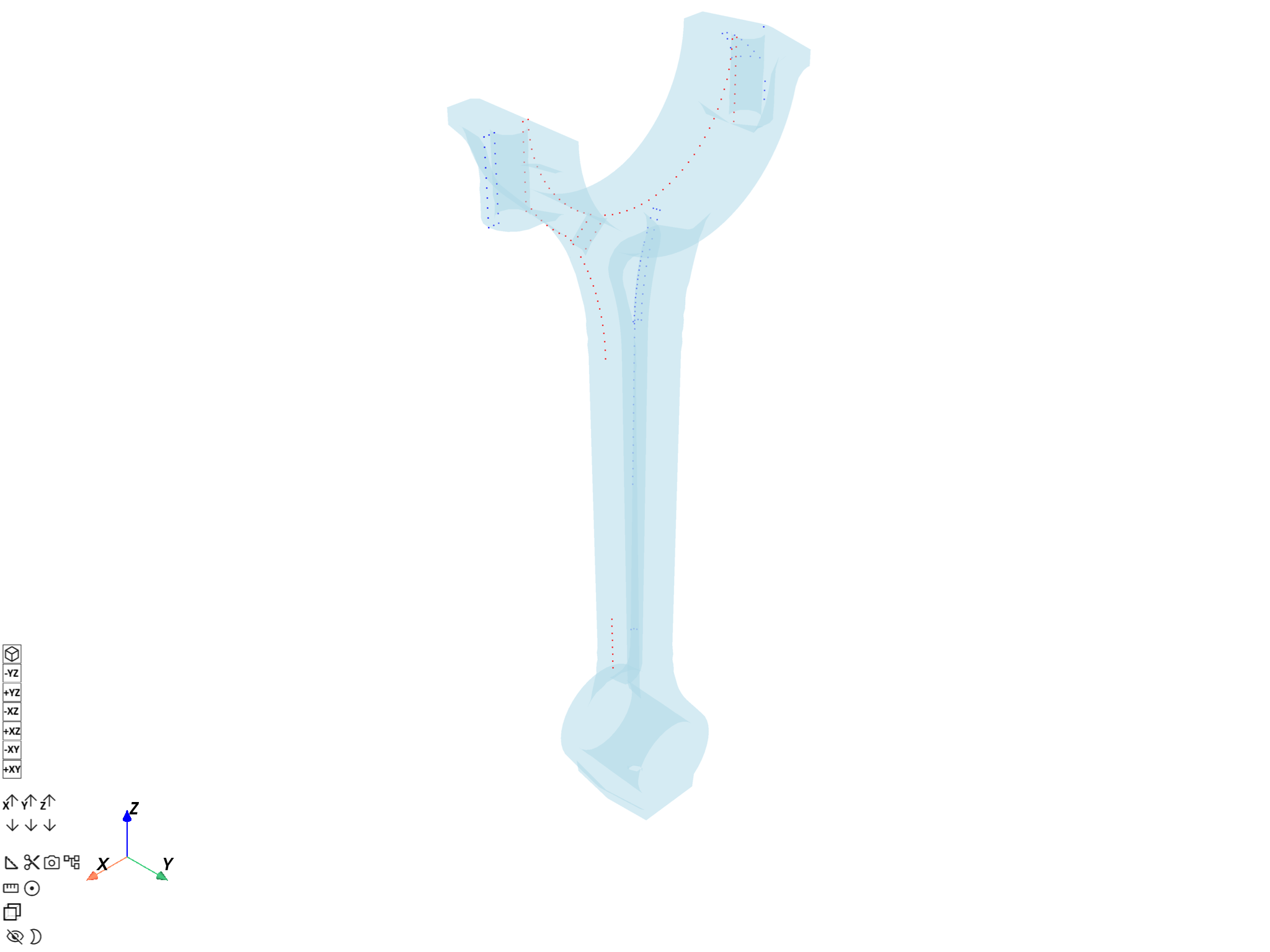
([], <pyvista.plotting.plotter.Plotter object at 0x000002334B7F5010>)
Plot the ScopingsContainer applied to a
MeshesContainer with
similarly labeled meshes.
meshes: dpf.MeshesContainer = ops.mesh.split_mesh(mesh=mesh_1, property="mat").eval()

node_scoping_3 = dpf.Scoping(
    location=dpf.locations.nodal,
    ids=meshes.get_mesh({"mat": 1, "body": 1}).nodes.scoping.ids[0:100],
)
node_scoping_4 = dpf.Scoping(
    location=dpf.locations.nodal,
    ids=meshes.get_mesh({"mat": 2, "body": 2}).nodes.scoping.ids[0:100],
)
node_sc_2 = dpf.ScopingsContainer()
node_sc_2.add_label(label="mat")
node_sc_2.add_label(label="body")
node_sc_2.add_scoping(label_space={"mat": 1, "body": 1}, scoping=node_scoping_3)
node_sc_2.add_scoping(label_space={"mat": 2, "body": 2}, scoping=node_scoping_4)
node_sc_2.plot(mesh=meshes)
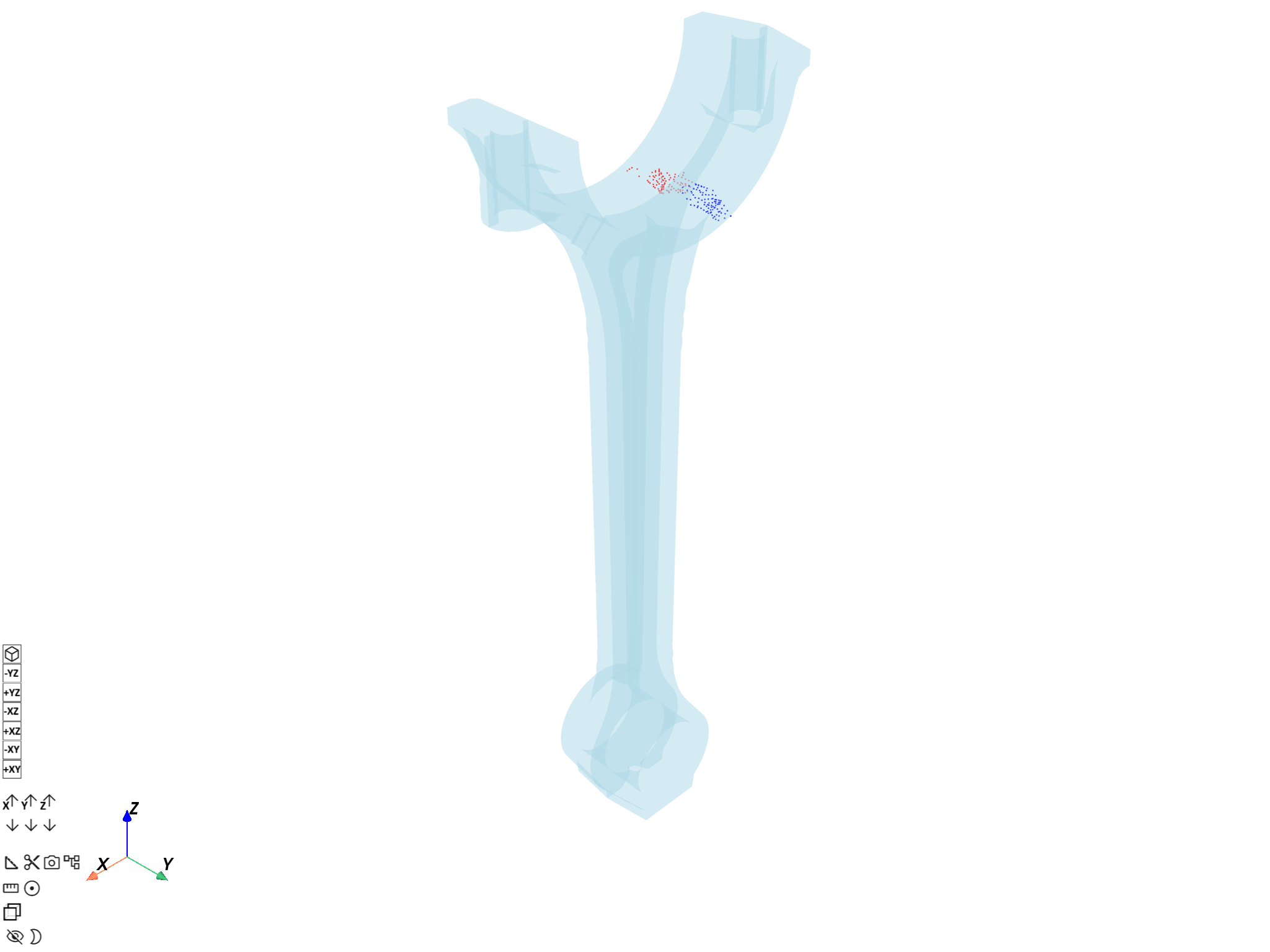
([], <pyvista.plotting.plotter.Plotter object at 0x000002334B7F4C50>)
Use DpfPlotter.add_scoping#
Use
DpfPlotter.add_scoping()
to add scopings applied to a
MeshedRegion to a scene.
node_scoping = dpf.Scoping(location=dpf.locations.nodal, ids=mesh_1.nodes.scoping.ids[0:100])
element_scoping = dpf.Scoping(
    location=dpf.locations.elemental, ids=mesh_1.elements.scoping.ids[0:100]
)

from ansys.dpf.core.plotter import DpfPlotter

dpf_plt = DpfPlotter()
# Show the mesh associated with the first scoping
dpf_plt.add_scoping(node_scoping, mesh_1, show_mesh=True, color="red")
# Do not show the mesh again for the second scoping (same mesh)
dpf_plt.add_scoping(element_scoping, mesh_1, color="green")
dpf_plt.show_figure()
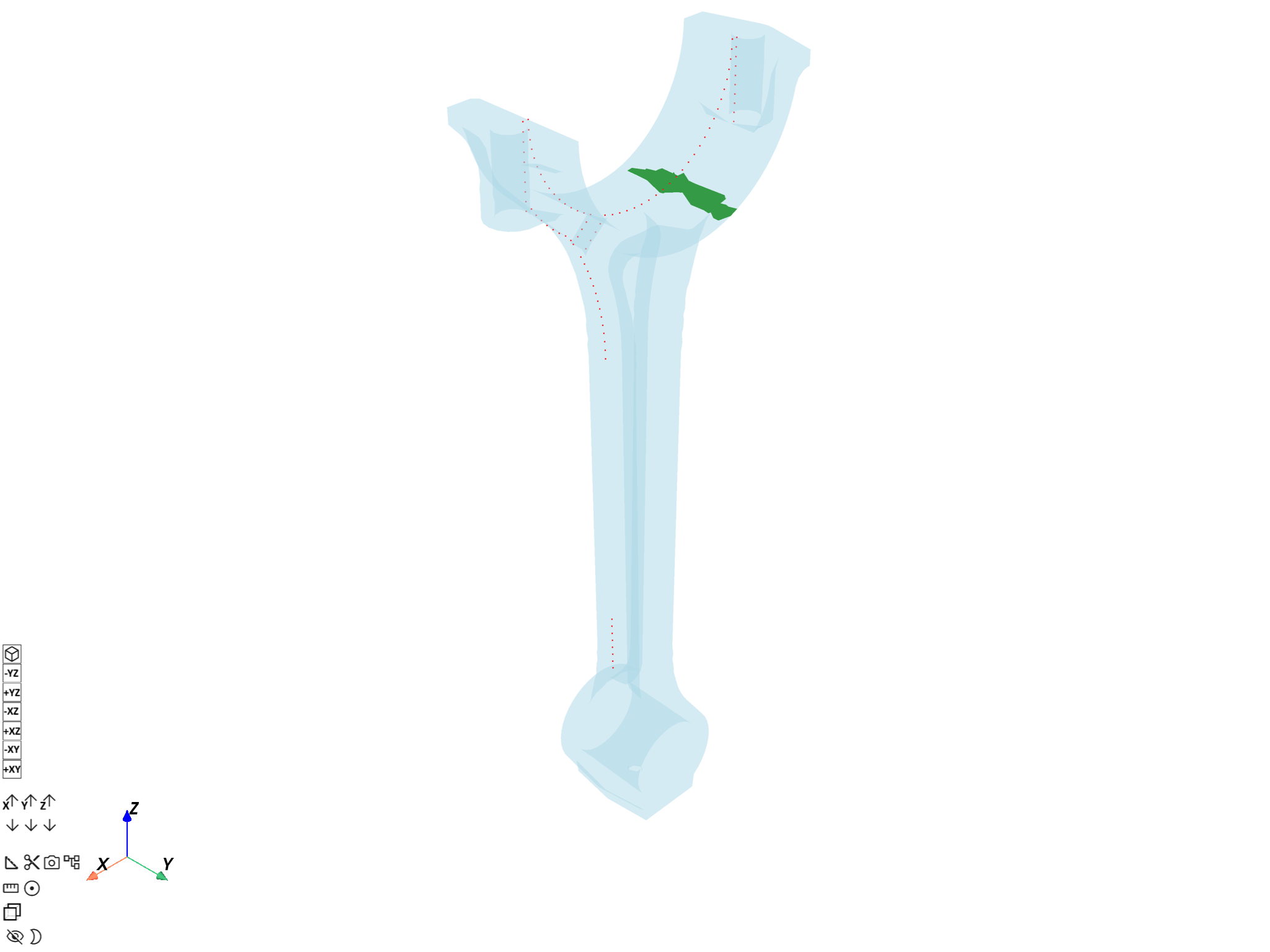
([], <pyvista.plotting.plotter.Plotter object at 0x0000023341673FB0>)
Total running time of the script: (0 minutes 12.054 seconds)