

Note
Go to the end to download the full example code.
Create a mesh from scratch#
This tutorial demonstrates how to build a
MeshedRegion from scratch.
You can create your own MeshedRegion object and use it with DPF operators.
The ability to use scripting to create any DPF entity means that you are not
dependent on result files and can connect the DPF environment with any Python tool.
In this tutorial, we create a parallel piped mesh made of linear hexa elements.
Import the necessary modules#
import numpy as np

from ansys.dpf import core as dpf
Define the mesh dimensions#
length = 0.1
width = 0.05
depth = 0.1
num_nodes_in_length = 10
num_nodes_in_width = 5
num_nodes_in_depth = 10

# Create a MeshedRegion object
my_meshed_region = dpf.MeshedRegion()
Define the connectivity function#
To create a mesh you must define the node connectivity: which node ids are connected to each element. Here, we create a helper function that finds the connectivity.
def search_sequence_numpy(arr, node):
    """Find the node location in an array of nodes and return its index."""
    indexes = np.isclose(arr, node)
    match = np.all(indexes, axis=1).nonzero()
    return int(match[0][0])
Add nodes#
Add Nodes to the MeshedRegion object.
node_id = 1
for i, x in enumerate(
    [float(i) * length / float(num_nodes_in_length) for i in range(0, num_nodes_in_length)]
):
    for j, y in enumerate(
        [float(i) * width / float(num_nodes_in_width) for i in range(0, num_nodes_in_width)]
    ):
        for k, z in enumerate(
            [float(i) * depth / float(num_nodes_in_depth) for i in range(0, num_nodes_in_depth)]
        ):
            my_meshed_region.nodes.add_node(node_id, [x, y, z])
            node_id += 1
Get the nodes coordinates field.
my_nodes_coordinates = my_meshed_region.nodes.coordinates_field
Set the mesh properties#
Set the mesh unit.
my_meshed_region.unit = "mm"
Get the nodes coordinates data as a list for use in the connectivity function.
my_nodes_coordinates_data = my_nodes_coordinates.data
my_nodes_coordinates_data_list = my_nodes_coordinates.data_as_list
my_coordinates_scoping = my_nodes_coordinates.scoping
Add elements#
Add Elements to the MeshedRegion
object. Here, we add solid elements (linear hexa with eight nodes).
element_id = 1
dx = length / float(num_nodes_in_length)
dy = width / float(num_nodes_in_width)
dz = depth / float(num_nodes_in_depth)

x_coords = [i * dx for i in range(num_nodes_in_length - 1)]
y_coords = [j * dy for j in range(num_nodes_in_width - 1)]
z_coords = [k * dz for k in range(num_nodes_in_depth - 1)]

for x in x_coords:
    for y in y_coords:
        for z in z_coords:
            connectivity = []
            for xx in [x, x + dx]:
                for yy in [y, y + dy]:
                    for zz in [z, z + dz]:
                        scoping_index = search_sequence_numpy(
                            my_nodes_coordinates_data, [xx, yy, zz]
                        )
                        connectivity.append(scoping_index)
            # Rearrange connectivity to maintain element orientation
            connectivity[2], connectivity[3] = connectivity[3], connectivity[2]
            connectivity[6], connectivity[7] = connectivity[7], connectivity[6]
            my_meshed_region.elements.add_solid_element(element_id, connectivity)
            element_id += 1
Plot the mesh#
Check the mesh we just created with a plot.
my_meshed_region.plot()
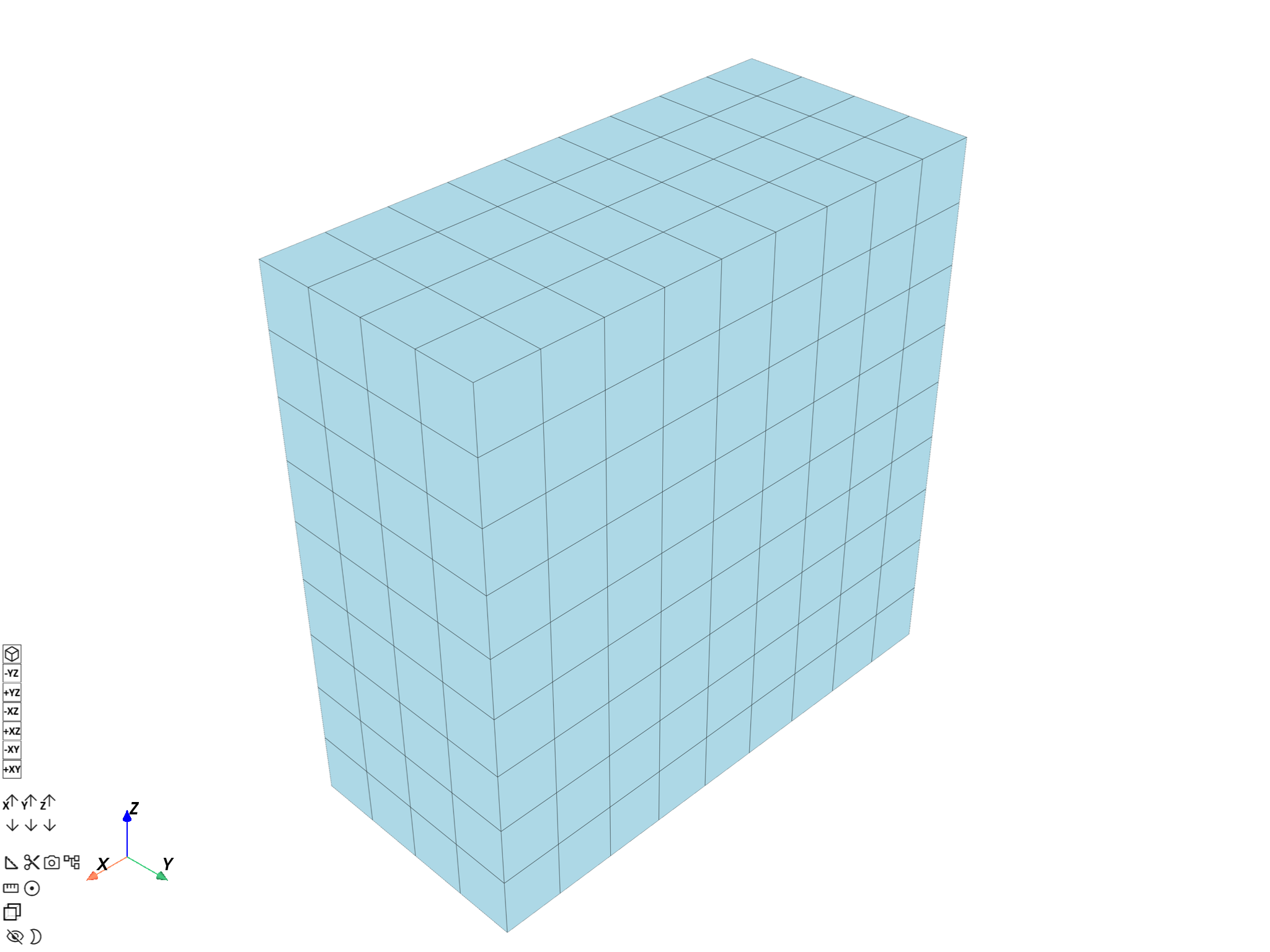
([], <pyvista.plotting.plotter.Plotter object at 0x0000023341540FE0>)
Total running time of the script: (0 minutes 1.772 seconds)